How do levels, lives, and stars work?
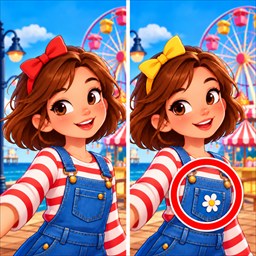
Find five differences within 1 minute 30 seconds in a collection level. Each incorrect tap uses one of your three lives; losing all three ends the attempt. Finish within the first 30 seconds for three stars, within the first minute for two, or before the timer ends for one. Your best star result is kept when you replay.
Levels open in sequence. The next playable collection requires at least 25 stars in the previous collection as well as the normal level progression. The first release contains 40 playable levels in four collections; later collection cards are previews.
How do I get hints?
A new game starts with no hints. Complete the daily puzzle to earn one hint, once per day, or choose an available rewarded ad for one hint. A hint points out a remaining difference. Rewarded ads require an Internet connection and may not always be available.
Why is a daily puzzle locked?
Complete a collection level first: daily puzzles are selected from levels you have already completed. Future calendar dates are locked. Daily attempts have a one-minute timer. If an attempt fails, an available rewarded ad can unlock a retry; completing that retry can still grant the day's hint if you have not already earned it.
Why is an ad or reward unavailable?
Check your connection and try again later. Ads depend on provider inventory, region, privacy choices, and technical conditions. Review Settings → Privacy Choices when available. A reward is credited only after the rewarded ad reports successful completion; closing an ad early can prevent the reward. Do not reset your progress to troubleshoot an ad.
Where is my save? Can I restore it?
PeekTwice saves progress on your device, not in a game account. Android backup or transfer may preserve eligible preferences, but recovery is not guaranteed. Clearing app storage, uninstalling, or using Reset Progress can remove your save. Avoid these actions when troubleshooting unless you intend to start over.
How do I change sound, vibration, or reminders?
Open Settings from Home. You can change sound effects, background music, vibration, and the daily reminder time. Reminders require Android notification permission and may be delayed by battery-saving or notification settings.
How can I report a problem?
Include the game version from Settings, Android version, device model, collection and level number, and the steps that caused the issue. A screenshot can help, but remove notifications or other personal information first. Never send passwords, account credentials, or advertising identifiers.
Contact Fehistro Studio
For game support, privacy requests, or questions about the terms, visit our main studio website and use the contact information there.
Visit Fehistro StudioRelated information: Privacy Policy · Terms of Use